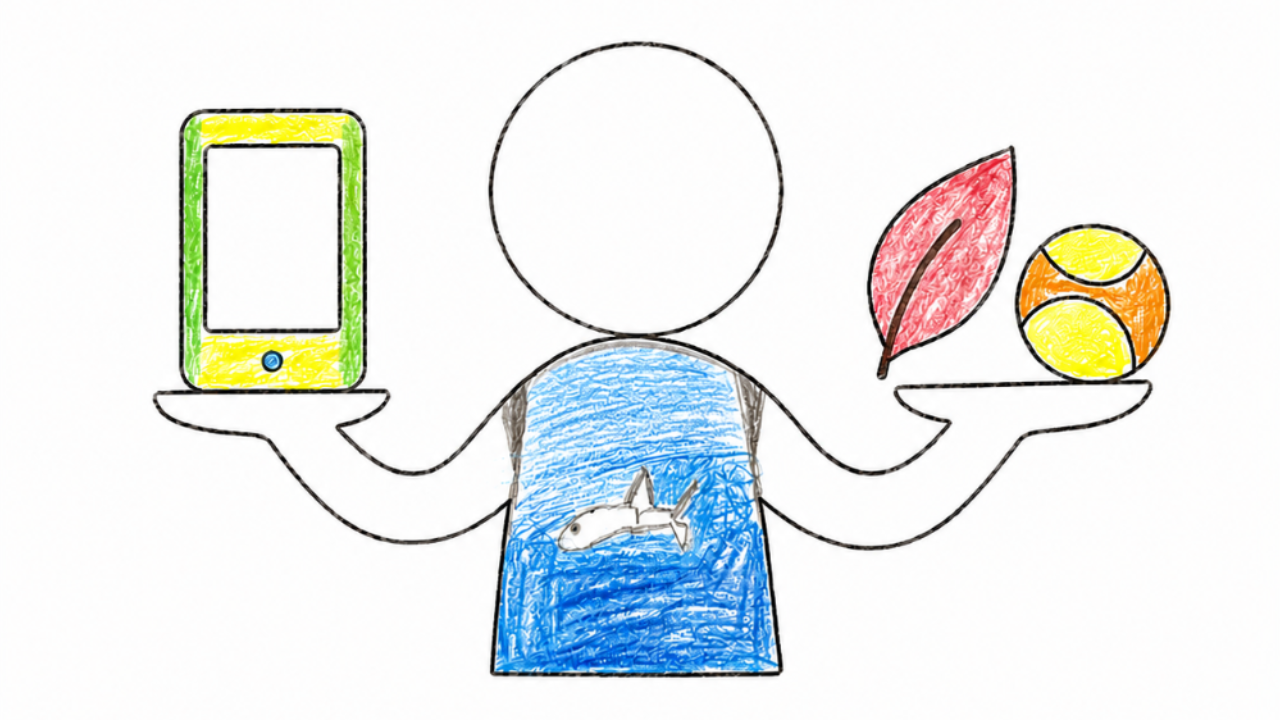
You know screens are a problem in your home. You have tried limits and rules, and it has not stuck. This is the core program two PhD clinical psychologists built because nothing else met the bar.
Five modules, twenty-nine lessons. Most of them are a tool you use rather than a video you watch, so you finish with a plan instead of notes.
- Know exactly where your child stands. A thirty item assessment scores eight areas, then a decision tree narrows it to the one or two changes worth making first.
- Get the software right. Ten parental control tools compared across seven capabilities, with nothing to sell you, plus a recommender that narrows it to the devices you own and the age of your child.
- Know what to say when it gets loud. The validate and wait framework, eight conflict moments to rehearse, and a handover simulator covering ten real situations from ages five to fourteen.
- Be ready for the phone and social media. A phone readiness simulator, and a twelve month first year that hands you a thirteen year old with a new phone and everything switched on.
You leave with a written screen plan, a letter to your child, and a printable family agreement. Eight video walkthroughs cover the parts that are better explained than practiced.
How It Compares
This program vs. an app vs. a book
Hover a row to see more detail
| The Screen Balance Program | A Parental Control App | A Book or Advice Online | |
|---|---|---|---|
| Tells you where your child actually stands | ✓ | ✕ | ✕ |
| Blocks apps and sets time limits on the device | ~ | ✓ | ✕ |
| Tells you which change to make first | ✓ | ✕ | ~ |
| Still works once your child finds the workaround | ✓ | ✕ | ~ |
| Gives you the words for the hard moment | ✓ | ✕ | ~ |
| Compares the software honestly, with nothing to sell | ✓ | ✕ | ~ |
| Prepares you for the first phone and social media | ✓ | ~ | ~ |
| Ends with a plan your child has agreed to | ✓ | ✕ | ✕ |
The Screen Balance Program
Five modules. Each one moves your family forward. ✓ Module 1: Understand your child and why screens pull so hard ✓ Module 2: Find the one or two changes actually worth making ✓ Module 3: Build your written screen plan and get the software right ✓ Module 4: Handle the pushback with calm, scripted responses ✓ Module 5: Get ahead of the first phone and social media ✓ The complete book as a PDF, plus the printable family agreement and check in charts ✓ The interactive Family Dashboard, which tracks your progress
$99.00 USD
What you get
✓Know exactly where your child stands+
A thirty item assessment scores eight areas and places your child on a clinical profile map, then a decision tree narrows everything to the one or two changes worth making first.
✓Build your screen plan+
Not a template: you work through your own child’s assessment and your family’s why, and finish with a written screen plan, a letter to your child, and a printable family agreement.
✓Learn the 6 intervention types+
There are only six real levers for changing screen use. You learn what each one does, and what each one costs you.
✓Pick the right ones for your family+
A guided tool takes your assessment and narrows six down to the two or three that actually fit your situation.
✓Navigate the software maze+
Ten parental control tools compared across seven capabilities, with nothing to sell you and no affiliate links, plus a recommender that narrows it to the devices you own and the age of your child.
✓Handle the conflict+
Extinction bursts, the Validate and Wait framework, eight conflict moments to rehearse, and a handover simulator covering ten real situations from ages five to fourteen.
✓Roll it out so it sticks+
The handover routine, how to introduce changes so they stick, and what to expect in the first two weeks when it gets worse before it gets better.
✓Get ahead of phones and social media+
A phone readiness simulator, and a twelve month first year that hands you a thirteen year old with a new phone and everything switched on. Worked through before you are in the argument, not after it.
Everything the program gives you
Every module is a tool you use, not a video to sit through. Here is what is inside, and what it builds for your family.
The Screen Balance Program
Build the screen plan your
family will actually follow.
The complete program from two clinical psychologists. Five modules and twenty-nine lessons of tools you use rather than videos you watch: see your child clearly, choose the right changes, and roll them out calmly.
One-time payment · 14-day money-back guarantee · Updates included
Three of the interactive tools waiting inside the program, captured as your family will see them. Each one saves your progress to the Family Dashboard.
Climb the Decision Tree
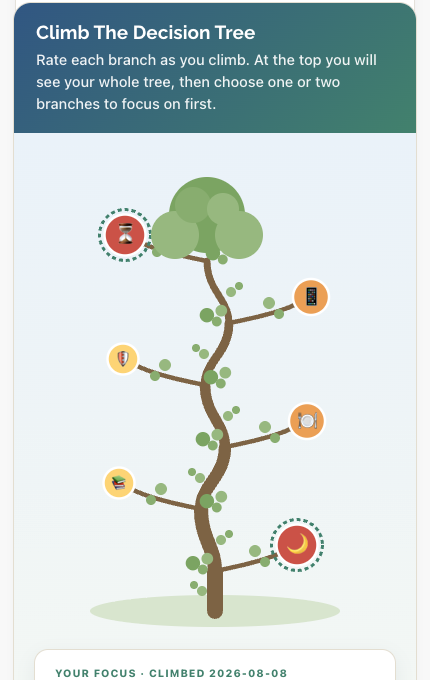
Everything feels like it needs fixing at once? Climb the tree, rating each branch as you go, and it narrows a messy week of screen decisions down to the one or two changes actually worth making first.
Which tool fits your family?
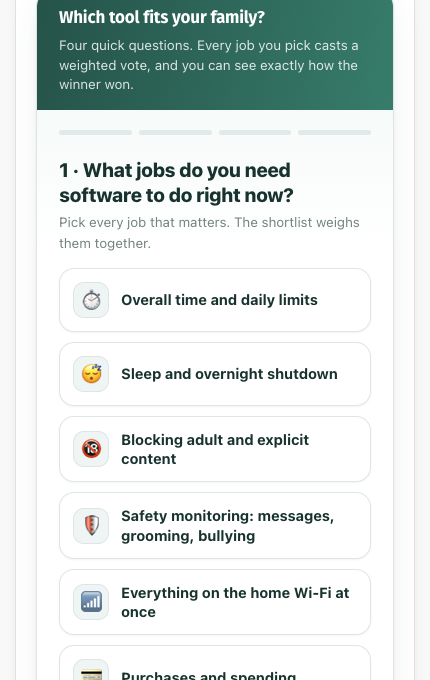
Confused about whether to use parental control software, and which one to pick? Answer four quick questions about what you actually need it to do, and the tool narrows the field to the one that fits your devices and your child, and shows you exactly why it won.
Put Out the Fire
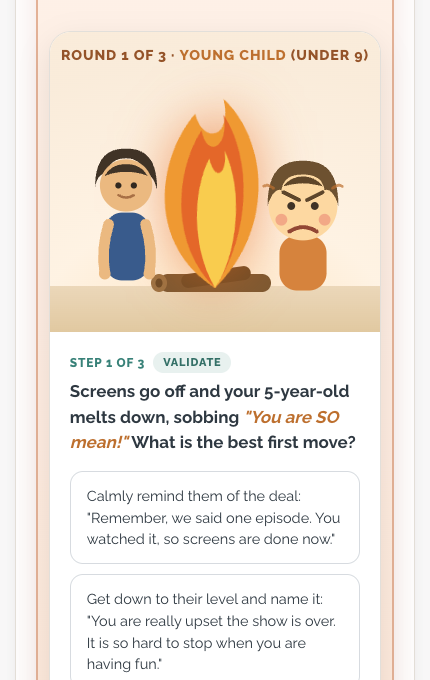
Dreading the moment you say screens off? Rehearse nine real meltdown moments across three age groups and practice the words that calm things down instead of feeding the fire, before you need them for real.
Every lesson gives you something to work through
Twenty-four of the tools and exercises, shown the way they appear inside the program.
My child becomes distressed when screen access is removed.
Screen time often leads to arguments or tension.
MayaBreaks over 7 hrs
SamBreaks at 3 hrs
“Everyone else has a phone. I will be the only one without one.”
Challenge 1 of 8“Siblings start bickering, so the television goes on.”
Scenario 4 of 12“It is 6pm, dinner is twenty minutes away, and they are mid-game with friends.”
The shift is away from how long, and toward what it is replacing.
| Time | Filter | Blocking | Alerts | |
|---|---|---|---|---|
| Apple Screen TimeFree | Yes | Yes | Yes | – |
| Google Family LinkFree | Yes | Part | Yes | – |
| Qustodio$55–100 / yr | Yes | Yes | Yes | Part |
| Bark~$14 / mo | Yes | Yes | Yes | Core |
We have been thinking about screens in our home. We want you to sleep well, have energy for school, and have the evenings back as a family
“A classmate brought a phone to school, and now yours is asking.”
Every tool above is interactive inside the course. See the full list of what is included
$99 one time · 14-day money-back guarantee